Dishwasher Beeping Won’t Stop Fixes: What to Do
Your dishwasher is beeping, and it just won’t stop? Don’t panic! A Your dishwasher is beeping, and it just won’t stop? Don’t panic! A dishwasher beeping often signals a simple issue.beeping dishwasher often signals a simple issue like a door not closing properly or a clogged filter. These common culprits are usually easy to fix yourself without needing a repair person.
While that incessant noise can be annoying, it’s your appliance’s way of trying to tell you something. Understanding what that beep means is the first step to getting your quiet kitchen back. We’ve found that most persistent beeps are tied to a few recurring problems.
- Check if the dishwasher door is fully latched.
- Make sure the drain filter is clean and free of debris.
- Ensure no dishes are blocking the spray arm or door.
- A power cycle can sometimes reset the beeping.
Let’s walk through the most common reasons your dishwasher might be beeping non-stop and how to silence it.
“`htmlTroubleshooting Your Annoying Dishwasher Beep
That persistent beep from your dishwasher can really test your patience. You might be wondering, “Why won’t my dishwasher stop beeping?” Most of the time, the answer is simpler than you think. We’ve found that these sounds are usually warning signals for common issues you can often resolve yourself. Let’s get that peace and quiet back to your kitchen.
Is the Door Really Closed? A Common Culprit
One of the most frequent reasons for a dishwasher’s incessant beeping is a door that isn’t fully latched. It sounds basic, but it happens more often than you’d imagine. Your dishwasher needs a secure seal to operate correctly and prevent leaks. If that seal isn’t made, it will often alert you with a series of beeps.
Think of it like a refrigerator door. If it’s slightly ajar, it struggles to stay cold. Your dishwasher is similar. It needs to be snug and secure for the cycle to begin or continue.
How to Check the Door Latch
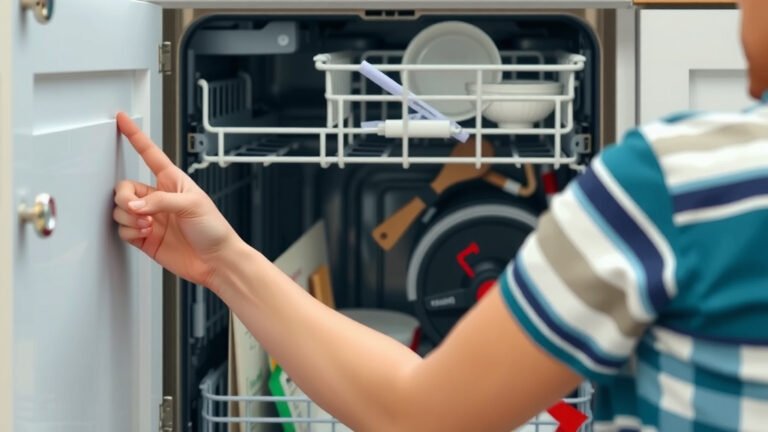
First, gently but firmly push on the dishwasher door. Listen for a click. Sometimes, a stray dish towel or a protruding utensil can be just enough to prevent the latch from fully engaging. You might need to unload a few items to get a clear view of the latch mechanism.
Next, examine the latch itself. Is there any visible debris or food particles stuck in it? If so, carefully wipe it clean with a damp cloth. Make sure the door strike (the part on the frame that the latch connects to) is also clean and aligned properly.
Some dishwasher doors have a sensor that detects if the door is closed. If this sensor is dirty or obstructed, it might send a false signal that the door is open. A quick wipe down of the area where the door meets the main unit can sometimes solve this.
The Unsung Hero: Your Dishwasher Filter
Deep inside your dishwasher lies a component that often gets overlooked but plays a vital role in its performance: the drain filter. When this filter becomes clogged with food debris, grease, or other gunk, it can impede the dishwasher’s ability to drain water properly. This drainage issue is a common trigger for beeping alerts.
Research has shown that a clogged filter is one of the top reasons for dishwasher malfunctions, including error codes and beeping (Cleveland Clinic). If your dishwasher isn’t draining at the end of a cycle, or if it’s making unusual noises, the filter is a prime suspect.
Locating and Cleaning Your Filter
Most dishwasher filters are located at the bottom of the unit, usually under the lower spray arm. You’ll likely need to remove the lower rack to access it. Consult your dishwasher’s manual if you’re unsure of its exact location or how to remove it.
Once removed, you’ll see a mesh screen or a cup-like component. Rinse it thoroughly under hot running water. You can use a soft brush (like an old toothbrush) to gently scrub away any stubborn debris. For really greasy buildup, a bit of dish soap can help. Remember to rinse it completely and reassemble it correctly.
We found that cleaning the filter at least once a month can prevent many common problems and keep your dishwasher running efficiently.
Obstructions Blocking the Way?
Sometimes, the simplest explanation is that something is physically getting in the way of your dishwasher’s proper operation. This could be dishes themselves, or even a stray utensil.
Spray Arm Interference
Your dishwasher relies on rotating spray arms to distribute water effectively. If dishes, utensils, or even the dishwasher’s own racks are loaded improperly, they can block the path of these arms. This not only leads to poor cleaning but can also trigger an alert because the system isn’t functioning as expected.
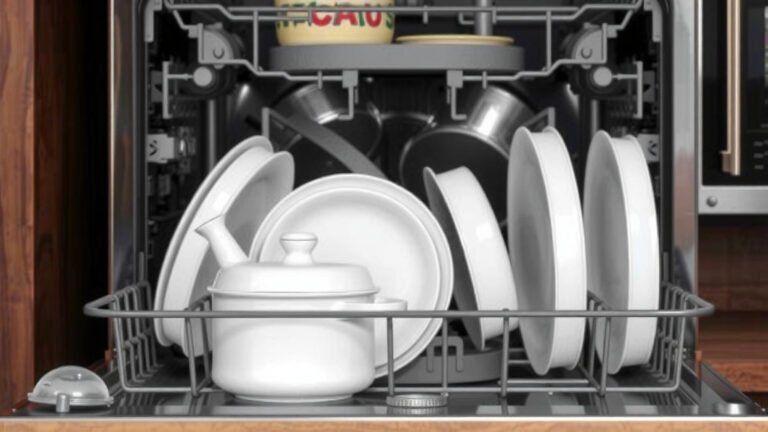
Take a look at your loaded dishwasher. Are any tall items in the front of the lower rack? Are utensils sticking up too far from the basket? Make sure nothing is hanging down from the upper rack that could impede the lower spray arm’s rotation. Give the spray arms a gentle spin by hand to ensure they move freely.
Door Obstructions
Similarly, items that are too large or sticking out too far can prevent the door from closing properly. This goes back to the door latch issue we discussed earlier. Ensure that no part of your dishware or utensils is preventing the door from sealing shut.
The Power Cycle: A Digital Reset
In the world of appliances, a simple power cycle can often solve a multitude of electronic glitches. Your dishwasher, with its digital controls, is no exception. Sometimes, a temporary electronic hiccup or a minor software glitch can cause it to get “stuck” in an alert mode, leading to that persistent beeping.
This process is similar to restarting your computer when it freezes. You’re essentially giving the appliance a fresh start, clearing any temporary errors.
How to Perform a Power Cycle
The easiest way to do this is to unplug your dishwasher from the electrical outlet. If you can’t reach the plug, you can turn off the corresponding circuit breaker in your home’s electrical panel. Leave it unplugged for about 5-10 minutes. This allows any residual power to dissipate, ensuring a full reset.
After the waiting period, plug the dishwasher back in or flip the circuit breaker back on. Try running a short rinse cycle. We’ve found that many users report success with this simple troubleshooting step.
Other Potential Beep Triggers
While the door, filter, and obstructions are the most common culprits, a few other issues could be causing your dishwasher to sound off.
Water Inlet Valve Problems
If your dishwasher isn’t getting enough water, or if the water inlet valve is faulty, it can signal a problem. This might happen if your home’s water pressure is too low, or if the valve itself is clogged or broken. Often, this will be accompanied by the dishwasher not filling with water. Other issues could be causing your dishwasher to sound off, like problems with the water inlet valve.
Drain Hose Kinks or Clogs
We’ve already touched on the filter, but the entire drain system can be a source of trouble. If the drain hose that runs from the dishwasher to your sink’s drain or garbage disposal becomes kinked or clogged, water won’t be able to escape. This blockage can lead to the dishwasher beeping to let you know it’s backed up.
Control Panel Malfunctions
In rarer cases, the beeping could be a sign of a problem with the dishwasher’s electronic control panel. If you’ve tried all the other steps and the beeping persists, it might be time to consider this possibility.
When to Call a Professional
If you’ve gone through these steps and your dishwasher is still beeping incessantly, it’s likely time to call in an expert. You’ve done a great job troubleshooting, and now it’s time for professional assessment. Issues with the water inlet valve, control panel, or internal plumbing often require specialized knowledge and tools.
Remember, your dishwasher is a complex appliance. While many problems are user-fixable, some are best left to the professionals to ensure safety and prevent further damage.
Here’s a quick checklist to recap the most common DIY fixes:
- Ensure the dishwasher door is securely latched.
- Check for any items blocking the door from closing fully.
- Clean out the dishwasher’s bottom filter.
- Make sure no dishes are preventing spray arm rotation.
- Confirm the drain hose isn’t kinked or blocked.
- Try a simple power cycle (unplug for 5-10 minutes).
Conclusion
You’ve taken the first steps to silencing that persistent dishwasher beep. We’ve walked through the most common culprits, from a simple door latch check to cleaning your filter and performing a power cycle. These easy fixes often restore peace to your kitchen without needing a repair call. Remember, your dishwasher is trying to communicate a problem, and often, it’s a straightforward one you can handle yourself. If these DIY solutions don’t do the trick, don’t hesitate to call a professional. You’ve got this!
Frequently Asked Questions
Can a specific cycle cause the beeping?
Sometimes, a particular cycle might trigger a beep if it encounters an issue, like the sensor not detecting proper water fill or drain. Check your manual to see if the beeping pattern corresponds to a specific error code for your model. You might need to restart the cycle or choose a different one.
How often should I clean my dishwasher filter?
We recommend cleaning your dishwasher filter at least once a month. If you have very hard water or use your dishwasher frequently, you might need to clean it even more often. A clean filter is key to preventing drainage issues and unwanted beeps.
What if the beeping starts mid-cycle?
If the beeping begins during a wash cycle, it could indicate a more immediate problem like a clog preventing drainage or a spray arm obstruction. Stop the cycle, check for any visible obstructions, and ensure the filter is clean before restarting or trying a power cycle.
Can low water pressure cause my dishwasher to beep?
Yes, low water pressure can sometimes cause beeping because the dishwasher isn’t filling properly. Check other faucets in your home to see if the pressure is low throughout your house. If it is, you may need to contact your water company or a plumber.
Is it safe to run the dishwasher if it’s still beeping after troubleshooting?
It’s generally best to avoid running the dishwasher if it continues to beep after you’ve tried common troubleshooting steps. The beeping is a warning, and continuing to run it could potentially worsen a problem or cause damage. It’s safer to address the underlying issue first.