Dishwasher WiFi: Connect Your Appliance Smarter
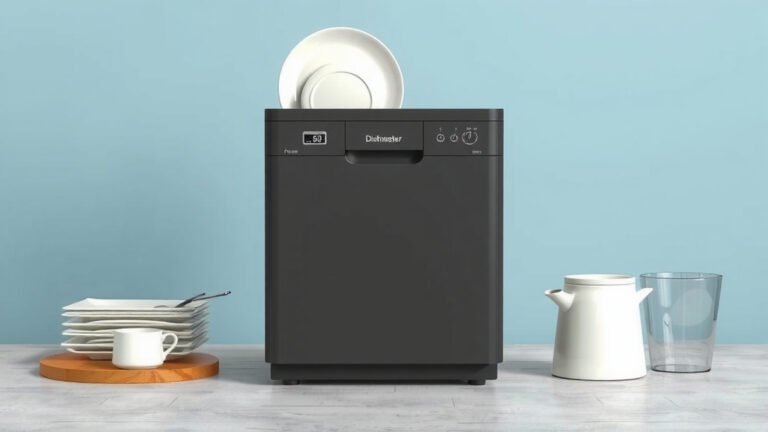
Yes, connecting your dishwasher to your home’s WiFi can make your life easier. Smart dishwashers let you control cycles remotely. You can also get notifications right on your phone. It adds convenience to your daily chores.
This connectivity brings your kitchen appliances into the modern era. You can monitor your dishwasher’s status from anywhere. Many models offer energy-saving tips and diagnostic alerts. It’s about bringing smarter control to your home.
- Control wash cycles from your phone.
- Get instant alerts when a cycle finishes.
- Monitor energy usage easily.
- Receive maintenance reminders.
- Troubleshoot issues remotely.
Let’s dive into how WiFi connectivity works for your dishwasher and what it can do for you.
Making Your Dishwasher Smarter: WiFi Connections Explained
So, you’ve heard about smart dishwashers and WiFi. It sounds a bit futuristic, doesn’t it? But connecting your dishwasher to your home’s WiFi is actually pretty straightforward. It’s about bringing a little convenience to your daily routine. Think of it as giving your dishwasher a tiny smartphone. It can then talk to your actual smartphone. This connection allows for some pretty neat features. You can manage your dishes without being stuck in the kitchen.
The main idea behind a WiFi-enabled dishwasher is remote control and monitoring. You’re not tied to the appliance itself anymore. Your phone becomes the new control panel. This can be a lifesaver when you’re busy. You might be working from home, playing with the kids, or just relaxing on the couch. You don’t have to walk over to check if the cycle is done. You’ll get a notification instead.
How Does WiFi Connectivity Actually Work?
Connecting your dishwasher is usually similar to connecting any other smart device. It needs to join your home’s wireless network. Most smart dishwashers come with a dedicated mobile app. You download this app to your smartphone or tablet. Then, you follow the app’s instructions to pair the dishwasher with your WiFi. This often involves entering your WiFi password. Once connected, the app acts as a bridge. It lets you send commands to the dishwasher and receive information from it.
Think of it like this: Your smartphone talks to a cloud server. That server then talks to your dishwasher. Or, in some cases, your phone talks directly to your dishwasher if they are on the same network. The specific method depends on the brand and model. But the end result is the same: enhanced control and information at your fingertips.
What You Need to Get Started
Before you can start enjoying your smart dishwasher features, make sure you have a few things ready:
- A stable home WiFi network with a strong signal reaching your kitchen.
- Your WiFi network name (SSID) and password.
- A compatible smartphone or tablet (usually iOS or Android).
- The dishwasher manufacturer’s mobile app downloaded to your device.
The Benefits of a Connected Dishwasher
Why bother with WiFi? We found that the biggest draw is the convenience factor. Being able to start, stop, or pause a cycle remotely is a huge plus. No more running back to the kitchen because you forgot to start it. You can also check the remaining time. This helps with planning your day. You’ll know exactly when the dishes will be clean. This can prevent you from opening the door too early and losing all that hot air!
Remote Cycle Management
Imagine this: You’re heading out for the evening, and you realize you forgot to run the dishwasher. With a smart model, you can simply pull out your phone. Open the app, select your desired cycle, and start it. You can do this from your car, your office, or even a friend’s house. It’s about flexibility. You’re no longer tied to your kitchen’s control panel.
Notifications and Alerts
This is another fantastic feature. Your smart dishwasher can send you real-time notifications. You’ll get an alert when the wash cycle is complete. No more guessing or checking periodically. Some apps even notify you if there’s a problem. This could be a water supply issue or a drainage problem. Early alerts mean you can address issues faster.
Monitoring and Diagnostics
Many smart dishwashers offer insights into their performance. You can often track energy and water consumption through the app. This can help you make more eco-friendly choices. Some models even perform self-diagnostics. They can identify potential issues before they become major problems. This can save you money on repair bills. Many experts say that predictive maintenance is key to appliance longevity (Cleveland Clinic).
Are There Any Downsides to WiFi Dishwashers?
While the benefits are clear, it’s good to be aware of potential considerations. The initial setup can sometimes be a little tricky for some users. You need a reliable internet connection for the features to work. If your WiFi goes down, your smart features might become unavailable. Also, like any connected device, there are security considerations. It’s important to use strong passwords for your WiFi network and your appliance accounts. Manufacturers regularly release software updates to patch security vulnerabilities, so keeping your app and firmware updated is wise.
Installation and Setup Hurdles
Occasionally, connecting a smart appliance can take a few tries. Different router settings or network configurations can sometimes cause interference. It’s rarely a complicated process, but patience is key. If you run into trouble, the manufacturer’s support or your internet service provider can often help. We found that most connection issues can be resolved with a quick check of network settings.
The Need for Reliable Internet
Your smart dishwasher relies on your home’s internet. If your WiFi signal is weak in the kitchen, you might experience dropped connections or slow response times. This is why having a good, strong WiFi network is essential. Consider a WiFi extender if you have dead spots in your home. A stable connection ensures you can control your appliance whenever you need to.
Choosing the Right Smart Dishwasher
When you’re looking for a WiFi-enabled dishwasher, consider what features matter most to you. Do you want full remote control? Are alerts the main draw? Research different brands and their apps. Read reviews from other users. Some apps are more intuitive than others. We found that user reviews often highlight the ease of use of the associated mobile app.
Key Features to Look For
Beyond basic connectivity, think about these points:
- App usability: Is it easy to navigate and understand?
- Integration: Does it work with other smart home devices you might own?
- Customization: Can you set up your favorite cycles or schedules?
- Notifications: Are the alerts useful and timely?
Understanding Your Usage Data
The data your dishwasher collects can be quite informative. You can see which cycles use the most energy. You might discover that a quick wash is sufficient for lightly soiled dishes. This knowledge can lead to The data your dishwasher collects can be quite informative. You can track energy and water consumption through the app.cost savings on your utility bills. Many resources suggest tracking home energy usage can lead to significant reductions (US Department of Energy).
Getting the Most Out of Your Connected Dishwasher
Once your dishwasher is connected, take some time to explore its capabilities. Go through all the settings in the mobile app. Experiment with starting a cycle remotely. Set up notifications for when the cycle finishes. The more you use the smart features, the more you’ll appreciate the added convenience. It’s about making your chores less of a chore.
Here’s a quick checklist to ensure you’re making the most of your smart dishwasher:
- Confirm your dishwasher is securely connected to your WiFi.
- Experiment with starting and stopping cycles remotely.
- Customize notification settings to your preference.
- Review your usage data to find energy-saving opportunities.
- Keep your dishwasher’s app and firmware updated.
- Explore any specialized smart features your model offers.
Conclusion
Connecting your dishwasher to WiFi brings real convenience to your home. You gain the ability to manage cycles from afar. Getting instant alerts means you’re always in the know. Plus, monitoring usage can help you save money and energy. We found that the setup is generally manageable with a stable WiFi signal. So, if you’re looking to streamline your chores and add smarts to your kitchen, a connected dishwasher is a great step. Your next move is to check out models that fit your needs and start enjoying a smarter way to do dishes.
Frequently Asked Questions
Will my smart dishwasher work if my WiFi goes out?
If your home WiFi is down, your smart dishwasher will typically function as a regular appliance. You’ll still be able to use its control panel to start and stop cycles. However, you won’t be able to use the remote control or notification features through the app until your internet connection is restored.
Is connecting a dishwasher to WiFi safe from hackers?
Manufacturers take security seriously, but like any connected device, it’s important to be cautious. Ensure your home WiFi network uses a strong, unique password. Keep your dishwasher’s app and firmware updated, as updates often include security patches. Avoid using default passwords for either your router or your appliance account.
Can I control my dishwasher from anywhere, or only when I’m home?
You can control your WiFi-enabled dishwasher from virtually anywhere with an internet connection. The app communicates with your dishwasher through the manufacturer’s cloud service. This means you can start a load while you’re at work, on vacation, or anywhere your smartphone has service.
How much faster will my dishes get done with a WiFi dishwasher?
WiFi connectivity itself doesn’t actually speed up the wash cycles. The connection is for remote control and monitoring. The speed of your dishwashing cycles depends on the dishwasher’s internal components and the selected wash program, not the WiFi signal. The convenience comes from managing the cycles on your schedule.
What if I have trouble connecting my dishwasher to WiFi?
If you encounter connection issues, first ensure your WiFi signal is strong in the kitchen. Check that you’ve entered the correct WiFi password. Sometimes, restarting your router and your dishwasher can resolve temporary glitches. If problems persist, consult your dishwasher’s manual or contact the manufacturer’s customer support for assistance.