Dishwasher Control Panel Not Working? Easy Fixes
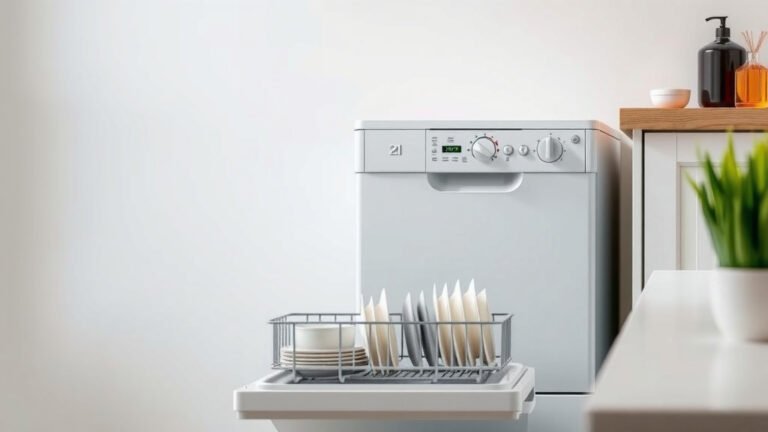
Your dishwasher control panel is likely not working because of a power supply issue, a faulty door latch, or a problem with the electronic control board. Many times, a simple reset can fix a blank or unresponsive panel. If your dishwasher’s buttons won’t respond, you’re not alone, and usually, it’s a fixable problem.
Before you panic about needing a new appliance, let’s troubleshoot. We found that common issues like a tripped breaker or a simple lock problem often cause a dead control panel. Understanding these common culprits can save you time and money. Don’t worry, we’ll guide you through the troubleshooting steps.
- Check your circuit breaker.
- Ensure the dishwasher door is securely latched.
- Try a hard reset of the control panel.
- Look for visible damage to the panel.
- When to call a professional.
Let’s get your dishwasher back in working order. Below, we’ll walk you through the most common reasons why your dishwasher control panel might not be working.
Troubleshooting Your Dishwasher’s Unresponsive Control Panel
It’s frustrating when your dishwasher’s control panel goes dark. You press buttons, but nothing happens. Before you assume the worst, let’s troubleshoot. Many times, the issue is quite simple and something you can fix yourself. We’ve found that a few common culprits are often at play when your dishwasher buttons refuse to cooperate.
Checking the Power Supply: The First Step
The most basic reason a control panel won’t work is a lack of power. This might seem obvious, but it’s surprisingly common. We recommend starting here to rule out the simplest solutions first.
Is the Circuit Breaker Tripped?
Your dishwasher, like most major appliances, is connected to your home’s electrical system through a circuit breaker. Sometimes, an electrical surge or an overload can cause a breaker to trip. This is a safety feature designed to prevent damage.
To check, locate your home’s electrical panel. You’ll usually find it in a basement, garage, or utility closet. Look for a switch that is in the “off” position or halfway between “on” and “off.” If you find one, flip it firmly to the “off” position, then back to the “on” position. If the breaker was indeed tripped, this simple action might restore power to your dishwasher’s panel. Many experts suggest resetting a tripped breaker is the first thing you should do when an appliance loses power (Home Safety Council).
Are Other Appliances Working?
To get a better idea if the issue is with the dishwasher or your home’s power, check if other nearby appliances are functioning. If your kitchen lights are on and other outlets are working, the problem is likely isolated to the dishwasher. If multiple appliances are affected, the issue is almost certainly with your circuit breaker or main power supply. This helps narrow down the problem considerably.
Is the Dishwasher Plugged In?
For portable dishwashers, double-check that the power cord is securely plugged into the outlet. It sounds basic, but sometimes cords can come loose, especially if they are old or the outlet is in a hard-to-reach spot. A loose connection means no power gets to the unit.
The Dishwasher Door: More Important Than You Think
The door latch on your dishwasher isn’t just for keeping the door shut. It also contains a safety switch that tells the machine it’s safe to run. If this switch isn’t engaged properly, the control panel may remain unresponsive. A faulty door latch can prevent the control panel from activating, so ensure yours is engaging properly.
Ensuring a Secure Latch
You need to make sure the dishwasher door is fully closed and latched. Press firmly on the door until you hear or feel it click into place. Sometimes, a piece of stuck food or a small obstruction can prevent the latch from fully engaging. Open the door again and inspect the latch area for any debris. Clear it away and try closing the door firmly once more.
The Door Latch Switch
Inside the door mechanism is a small switch. This switch activates when the door is properly closed. If this switch is faulty or dirty, it might not send the correct signal to the control board. This can leave your control panel dead. While checking the switch often requires some disassembly, ensuring the door latches correctly is a good first step for troubleshooting.
Performing a Hard Reset: The Electronic Refresh
Electronic components, like the ones in your dishwasher’s control panel, can sometimes experience glitches. A hard reset can clear these temporary errors and restore functionality. Think of it like restarting your computer when it freezes.
How to Hard Reset Your Dishwasher
The process for a hard reset can vary slightly by manufacturer. Often, it involves a specific sequence of button presses. However, a universal method that frequently works is to simply disconnect the power to the dishwasher for a few minutes.
You can do this by unplugging the dishwasher if it’s a portable model. For hardwired units, you’ll need to go back to your circuit breaker box and switch off the breaker dedicated to the dishwasher. Leave it off for about 5 to 10 minutes. This allows any residual power in the control board to dissipate. After the waiting period, restore power by plugging it back in or flipping the breaker back on. Then, try to power on your control panel again.
Investigating the Control Panel Itself
Sometimes, the problem is visible right on the control panel. Dust, moisture, or physical damage can all cause issues.
Checking for Visible Damage
Carefully inspect the control panel. Are there any cracks, chips, or signs of water damage? Moisture can seep into the electronic components and cause shorts or corrosion. If you see obvious damage, it might be the cause of the problem. In such cases, the control panel itself may need to be replaced. Also, look for any loose buttons or areas where the panel might be separating from the dishwasher frame.
Cleaning the Control Panel
Accumulated grime or sticky residues from spills can sometimes interfere with the touch-sensitive buttons. Turn off the power to the dishwasher first for safety. Then, use a damp (not wet!) cloth with a mild detergent to gently clean the surface of the control panel. Make sure no liquid seeps into the edges. Dry it thoroughly before restoring power.
When to Call in the Professionals
If you’ve gone through these steps and your dishwasher’s control panel still isn’t working, it’s likely a more complex issue. These can include a faulty control board, wiring problems, or issues with the main power module.
Internal Component Failures
The electronic control board is essentially the brain of your dishwasher. If it fails, the entire unit can become unresponsive. Repairing or replacing this component usually requires specialized knowledge and tools.
Similarly, there could be a problem with the user interface board, which is the part you interact with. Wiring harness issues can also cause communication breakdowns between components. These are not typically DIY fixes. Many appliance repair specialists find that control board failures are a common reason for a dead panel (Appliance Repair Association findings).
Safety First
Working with electrical appliances carries risks. If you’re not comfortable troubleshooting or performing any of these steps, especially those involving electrical connections, it’s always best to call a qualified appliance repair technician. They have the expertise to diagnose and fix the problem safely and efficiently. Trying to fix electrical issues without proper knowledge can lead to further damage or personal injury.
A Quick Checklist for You
- Check your home’s circuit breaker for the dishwasher.
- Ensure the dishwasher door is completely closed and latched.
- Try unplugging the dishwasher (or flipping the breaker) for 10 minutes.
- Inspect the control panel for any visible cracks or water damage.
- Clean the control panel surface gently with a damp cloth.
- If these steps don’t work, it’s time to call a professional.
Conclusion
You’ve worked through the common issues that can cause your dishwasher’s control panel to go dark. Remember, often a simple tripped breaker or a firmly latched door can be the culprit. You even learned how to give your electronic panel a quick refresh with a hard reset. By following these steps, you’ve likely saved yourself a service call.
If you’ve tried all these troubleshooting tips and your panel remains unresponsive, it’s time to call in the experts. Don’t hesitate to contact a qualified appliance repair technician to handle potential internal component failures safely. You’ve got this!
Frequently Asked Questions
How long should I leave my dishwasher unplugged for a hard reset?
We recommend unplugging your dishwasher, or turning off its circuit breaker, for about 5 to 10 minutes. This allows any residual power in the electronic control board to safely dissipate. After this waiting period, you can restore power and try to turn on the control panel again.
What if my circuit breaker keeps tripping after I reset it?
If your circuit breaker trips again shortly after you reset it, this often indicates a more serious electrical issue. It could mean there’s a short circuit within the dishwasher or a problem with the wiring itself. In this situation, it’s best to call a professional to diagnose the problem safely.
Can a dirty control panel really stop it from working?
Yes, especially on touch-sensitive panels. Grime, food residue, or sticky spills can interfere with the sensors. We suggest turning off the power and gently cleaning the panel with a damp cloth. Ensure it’s completely dry before restoring power and testing it.
My dishwasher door seems closed, but the panel is still dead. What else could it be?
Even if the door appears closed, the internal latch switch might not be engaging correctly. This switch tells the dishwasher it’s safe to start. Check for any obstructions around the latch mechanism and ensure you hear a distinct click when closing the door firmly.
How can I tell if the control panel itself is damaged?
Carefully inspect the physical surface of your control panel. Look for any visible cracks, chips, or signs of moisture damage like discoloration or warping. Obvious physical damage often means the panel itself needs to be replaced by a technician.